Free PDF to Word Converter – No Sign Up Required
Convert PDF to Word (DOCX) online for free with this free PDF to Word converter. Upload your PDF, click convert, and download an editable Word document — all in your browser. No sign-up. No email. No file uploads to any server.(Need reverse conversion? Try our Word to PDF → tool instantly)
Drop your PDF here or click to browse
Supports PDF files up to 50 MB. No registration needed.
Processing…
Convert PDF to Word Without Losing Formatting – Free Online Tool
Need to edit a contract? Update a report? Pull text from a PDF? This PDF to editable Word converter free online gives you a fast, accurate way to turn static PDFs into fully editable Microsoft Word documents. Unlike many online tools, this online PDF to Word converter free no sign up requires nothing — no registration, no email address, and no software install.
Why Use This Free PDF to Word Converter?
- No registration required. Use the tool instantly. No account, no email, no spam.
- Formatting preserved. Bold text, paragraphs, alignment, and spacing are retained so you can convert PDF to Word without losing formatting.
- 100% private & secure. All processing happens locally in your browser. No files are ever uploaded.
- Unlimited conversions. Convert as many PDFs as you want with no daily limits. A true PDF to DOCX converter online free unlimited solution.
- Works on any device. Windows, Mac, Linux, Android, iOS — all you need is a modern web browser.
How to Convert PDF to Word Online (Step by Step)
- Upload your PDF. Drag and drop your file into the upload area, or click to browse. No sign-up needed.
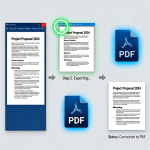
- Click "Convert to Word." The tool extracts text and formatting from your PDF and builds an editable DOCX file right in your browser.
- Download your DOCX file. Once conversion is complete, click the download button to save your new Word document.
Quick Answers
Q: Is this really a free PDF to Word converter with no registration?
A: Yes — 100% free. No sign-up form, no email verification, and no payment required. Use it as many times as you want.
Q: Will the formatting stay the same after converting?
A: The converter preserves most formatting — bold text, paragraphs, alignment, and spacing. For complex layouts (tables, columns), some manual tweaks may be needed. This is the best free tool to convert PDF to Word without losing formatting available online.
Q: Are my PDF files safe and private?
A: Absolutely. Everything runs locally in your browser. Files are never uploaded to any server — complete privacy, unlike many other free tools.
Q: Can I convert large PDF files for free?
A: Yes. The tool handles files up to 50 MB. For larger documents, split your PDF first and convert each part.
Q: Does this work on mobile devices?
A: Yes. The tool is fully responsive. You can use this free PDF to DOCX converter online from any device with a modern browser.