Shoppers judge online products entirely through listing photos. Color accuracy shapes trust, purchasing decisions, and overall brand perception across every digital marketplace.
Many new ecommerce sellers skip professional photo adjustments, uploading raw camera shots straight to their storefronts. Unfixed color shifts, washed-out tones, and oversaturated hues immediately turn potential buyers away.
Camera sensors, lighting setups, and screen displays all distort natural product colors. A red garment can look orange, white packaging can carry yellow casts, and metal goods can appear dull without targeted editing work.
Basic brightness or contrast tweaks cannot resolve these mismatches alone. Proper photo color correction for product listing images targets tint, white balance, saturation, and tone in one unified editing process.
This actionable tutorial breaks down the cost of uncorrected product photos, core advantages of precise color tuning, essential tool features, common ecommerce use cases, and a complete beginner-friendly editing workflow optimized for marketplace listings.
Why Uncorrected Product Listing Photos Hurt Ecommerce Performance
Most online merchants underestimate how bad color inaccuracies tank listing visibility and sales volume. Raw, unedited product images create multiple avoidable business setbacks.
Mismatched product colors trigger high return rates
When delivered items look nothing like the listing photos, customers submit return requests constantly. Color discrepancies rank among the top three reasons for ecommerce product refunds across all marketplaces.
Shoppers expect the exact shade shown online. A blue accessory that reads purple on screen leads to frustration, negative reviews, and lost repeat customer loyalty.
Washed-out or oversaturated photos lose algorithm priority
Major shopping platforms prioritize clean, balanced listing imagery in their internal ranking systems. Overly dark, faded, or neon-toned photos receive weaker organic placement in search results.
Stores relying on uncorrected visuals struggle to compete against competitors using polished, color-consistent listing galleries.
Inconsistent coloring breaks brand identity
Sellers who skip standardized photo color correction end up with disjointed store aesthetics. One batch of products may carry warm yellow casts, while another leans cool and blue.
Shoppers perceive inconsistent visuals as unprofessional, low-quality brands. Uniform color balance across every listing builds recognizable, trustworthy store branding over time.
Manual color guessing wastes hours of editing time
Without a structured workflow for photo color correction for product listing images, merchants tweak sliders randomly. This trial-and-error approach drags out photo editing for every new product upload.
Large inventory owners spend dozens of extra hours weekly reworking photos that could be standardized with a repeatable correction process.
Cross-device color distortion confuses buyers
Raw camera files do not account for varied customer screens. Phones, laptops, and tablet displays render colors differently without intentional white balance and gamma adjustments.
A photo that looks perfect on your desktop monitor can appear faded or discolored when viewed on a mobile shopper’s device.
Core Business Benefits of Photo Color Correction for Product Listing Images
Integrating consistent photo color correction for product listing images into your pre-listing editing routine delivers measurable, long-term improvements to your ecommerce operation.
Eliminates costly color-based customer returns
Precise color matching ensures every listing displays the product’s true real-world shade. This drastically cuts refund requests stemming from visual mismatches between photos and delivered goods.
Lower return volumes reduce shipping overhead, labor costs for processing refunds, and negative public customer feedback on marketplace pages.
Boost organic marketplace search visibility
Clean, color-balanced listing images satisfy platform content quality guidelines. Marketplaces push polished, professionally adjusted photos higher in product search rankings, driving free organic traffic to your listings.
Consistent color tuning also improves thumbnail appeal in search grids, capturing shopper attention faster than dull, unedited competitor photos.
Build cohesive, premium brand visuals
Standardized photo color correction creates a unified store aesthetic across all product categories. Every listing shares matching white balance, saturation levels, and neutral tone ranges.
Shoppers instantly recognize your brand’s polished style, separating your store from amateur competitors using unfiltered, raw camera snapshots.
Increase click-through and conversion rates
Vibrant yet realistic corrected photos showcase product texture, material detail, and true color depth. High-quality color-balanced imagery holds shopper attention longer on product detail pages.
Data from ecommerce analytics consistently links accurate, well-tuned listing photos to higher add-to-cart rates and completed checkout transactions.
Streamline bulk inventory photo editing
Once you master the workflow for photo color correction for product listing images, you can create reusable editing presets. These templates cut editing time per product photo by more than half during bulk listing uploads.
Sellers with hundreds of SKUs save dozens of weekly work hours by applying standardized color correction settings to entire batches of product shots.
Reduce cross-device color mismatch risks
Targeted white balance, gamma, and tint adjustments calibrate photos to render accurately across mobile, desktop, and tablet screens. Your product’s true color translates reliably for every potential buyer regardless of their device.
This extra layer of color consistency removes a major pain point that confuses customers browsing your store on different hardware.
Must-Have Features in Tools for Product Listing Photo Color Correction
Not all photo editing software delivers results optimized for ecommerce marketplaces. The ideal tool for photo color correction for product listing images includes these marketplace-focused core capabilities.
Precise white balance adjustment sliders
White balance controls eliminate unwanted yellow, blue, green, or magenta color casts that distort product surfaces. This feature forms the foundation of all accurate product listing color work.
Top tools include temperature and tint dual sliders to fine-tune neutral whites and grays, critical for apparel, home goods, cosmetic, and packaging product shots.
Selective color channel editing
Individual red, green, and blue channel tuning lets editors isolate problematic hues without altering the full image. For example, you can correct an off-pink cosmetic without shifting neutral background tones.
Selective color tools are essential for multi-color products, mixed-material goods, and listings featuring printed graphics or branded packaging.
Saturation and vibrance separate controls
Vibrance gently boosts muted tones without overblowing bright hues, while saturation delivers stronger color intensity adjustments. Separating these two sliders prevents unrealistic, fake-looking product coloring.
Ecommerce editors rely on this dual control to make fabric, metal, and plastic products pop while retaining natural, authentic color depth.
Neutral gray point picker tool
A gray eyedropper sample tool instantly resets distorted midtones in product photos. Simply click a neutral gray surface on your product to automatically balance all overlapping color casts in one click.
This feature drastically speeds up the initial stage of photo color correction for product listing images, especially shots taken under mixed indoor lighting.
Batch preset saving and application
Reusable correction presets let you lock in your brand’s official color profile. Apply the exact same white balance, tint, saturation, and gamma settings to every product photo in one bulk action.
Batch processing support eliminates repetitive slider adjustments when uploading dozens of new product listings each week.
Marketplace size and format export templates
High-quality correction tools include pre-set canvas dimensions, resolution limits, and file format outputs matching major ecommerce platform listing rules.
After finishing color tuning, you can export optimized images without extra resizing or compression steps, fully ready for immediate listing upload.
Shadow and highlight color recovery
Many raw product photos lose subtle color detail in dark shadows or blown-out bright highlights. Advanced tools recover hidden hue information without introducing new color distortion.
This function restores texture and accurate coloring to reflective metal, transparent glass, and fabric product listings shot under harsh studio lighting.
Common Ecommerce Use Cases for Product Listing Photo Color Correction
A reliable workflow for photo color correction for product listing images applies to every major online retail category and marketplace listing format.
Apparel and fabric clothing listings
Garment color accuracy directly impacts return rates for fashion stores. Color correction fixes warm indoor lighting casts that turn black fabric brown or white shirts yellow.
Tuning saturation and vibrance preserves fabric texture while displaying the garment’s true dye shade for shoppers browsing clothing category listings.
Cosmetic and beauty product photography
Lipsticks, eyeshadows, serums, and makeup compacts rely on precise hue representation. Selective color channel adjustments correct orange, pink, or blue shifts from ring light studio setups.
Balanced neutral background whites make cosmetic pigment shades stand out naturally without oversaturating the final listing photo.
Home goods, furniture, and decor listings
Wood tones, fabric upholstery, ceramic, and metal home items easily pick up unwanted green or blue tints from window natural light. White balance correction restores natural material coloring.
Accurate color tuning helps shoppers visualize how furniture pieces will match existing room decor before completing a purchase.
Electronics and tech accessory product shots
Plastic casings, metal chassis, and screen displays develop color distortion under mixed studio lighting. Gray point sampling neutralizes discoloration across neutral tech product surfaces.
Subtle saturation adjustments highlight metallic finishes without creating fake, artificial color tones on gadget listing photos.
Food, beverage, and edible product listings
Edible goods require warm, appetizing balanced hues without unnatural neon saturation. Targeted red and yellow channel tweaks enhance fresh fruit, baked goods, and beverage tones realistically.
Careful shadow color recovery brings out texture in packaged food without distorting label or packaging printed colors.
Handmade craft and small artisan product listings
Handmade jewelry, resin art, pottery, and textile crafts feature unique custom color mixes. Selective color editing preserves one-of-a-kind pigment details while removing camera-induced color casts.
Consistent correction presets create a cohesive handmade brand gallery across all marketplace product listings.
Bulk seasonal inventory uploads
Holiday limited-edition product lines require uniform color matching across dozens of SKUs. Saved batch presets for photo color correction for product listing images standardize every seasonal listing photo in minutes.
Bulk editing functionality cuts down heavy workloads during peak retail seasons when sellers upload hundreds of new product listings at once.
Step-by-Step Complete Workflow: Photo Color Correction for Product Listing Images
Follow this standardized marketplace-focused editing process to deliver color-accurate, conversion-ready product listing photos every single time.
Step 1: Organize raw product photo files before editing
Sort all raw camera shots for a single SKU into a dedicated folder. Separate main hero listing shots from alternate angle, detail, and lifestyle secondary images.
Note consistent lighting conditions used during shooting. Photos captured under the same light source will share matching color cast patterns for faster batch correction later.
Review marketplace image rules for resolution, file size, and background requirements before beginning any color tuning work.
Step 2: Import product photos into your editing tool
Launch your chosen photo correction software and import one hero product shot as your base editing template. Avoid editing all photos at once until you lock your brand’s color preset settings.
Hide auto-filter and one-click enhancement functions built into the tool. Automated filters frequently oversaturate or shift product colors to unrealistic tones unsuitable for ecommerce listings.
Locate the core color adjustment panels: white balance, tint, selective color, vibrance, saturation, and shadow/highlight recovery controls.
Step 3: Fix core white balance to eliminate major color casts
Locate a neutral white or gray surface on your product shot, such as white packaging, gray hardware, or a neutral seamless background.
Activate the gray point eyedropper tool and click the neutral surface. The tool will automatically reset temperature and tint sliders to remove dominant yellow, blue, or green casts.
Manually fine-tune temperature and tint sliders in small increments if automatic sampling leaves minor discoloration. Aim for clean, natural neutral whites with no visible colored haze.
Step 4: Recover lost color detail in shadows and highlights
Open shadow and highlight recovery adjustment sliders. Lift shadow values slightly to reveal hidden color texture on dark product materials without introducing grain or noise.
Pull down highlight recovery to restore washed-out color detail on reflective surfaces, glossy packaging, and bright white product components.
Avoid extreme adjustments here; over-recovering shadows can create artificial, muddy color shifts that ruin product listing realism.
Step 5: Refine vibrance and saturation for natural product depth
Adjust vibrance first, raising the slider moderately to boost dull, faded product hues. Vibrance targets under-saturated areas without blowing out already bright colors.
Make tiny saturation tweaks only for specific product elements that appear flat. Never push saturation to extreme values—oversaturated photos appear fake and mislead shoppers about true product color.
Compare the edited photo side-by-side with your physical product sample to confirm hue intensity matches real-life appearance.
Step 6: Use selective color channels to fix mismatched individual hues
Open the selective color editing panel to target specific off-tint channels without altering the full photo.
For example, if red fabric reads orange, reduce yellow values within the red color channel. If white packaging carries a blue haze, adjust neutral gray channel tint values.
Work through every dominant color present on your product one channel at a time, making incremental small adjustments to preserve natural material texture.
Step 7: Fine-tune midtone gamma for balanced screen rendering
Locate gamma or midtone brightness sliders to adjust how colors render on mobile and desktop screens. A slight gamma lift ensures product detail remains visible on dim mobile device displays.
Avoid heavy gamma shifts that wash out subtle color differentiation between similar product shades, such as light pink vs. blush cosmetic tones.
Step 8: Save reusable brand color correction preset
Once the hero product photo displays perfectly accurate, marketplace-ready coloring, save all adjustment settings as a custom named preset inside your editing tool.
Label the preset clearly for future bulk editing batches, such as “Neutral Apparel Listing Color Profile” or “Cosmetic Product White Balance Template.”
Test the preset on a second alternate product photo shot under identical lighting to confirm consistent color results across angles.
Step 9: Apply preset to all remaining photos for the SKU
Select every alternate angle, detail, and lifestyle photo for the same product. Apply your saved custom color correction preset to the full batch in one bulk action.
Scan each auto-corrected photo individually for minor unique color quirks from slight lighting differences between shots. Make tiny manual tweaks where needed.
Step 10: Crop, resize, and export marketplace-optimized files
Adjust canvas crop dimensions to match your target marketplace’s required listing image aspect ratio and pixel resolution limits.
Apply gentle lossless compression to reduce file size without stripping corrected color detail. Avoid heavy compression that mutes subtle hue adjustments you completed earlier.
Export finished photos in the platform’s required file format, creating a separate organized folder ready for immediate listing upload to your online storefront.
Step 11: Cross-device color validation (optional high-quality extra step)
Transfer one finished exported photo to a mobile phone, tablet, and secondary desktop monitor to check cross-device color rendering.
If noticeable tint shifts appear on mobile screens, make minor white balance gamma adjustments and re-export the full photo batch for uniform display across all shopper hardware.
Common Costly Mistakes to Avoid During Product Listing Photo Color Correction
Even with reliable editing tools and a structured workflow for photo color correction for product listing images, these frequent errors damage listing quality and sales performance long-term.
Over-reliance on automatic one-click color filters
Auto-enhance filters prioritize vivid, eye-catching social media visuals, not accurate ecommerce product representation. Heavy automated saturation and tint shifts create drastically mismatched product hues that drive customer returns.
Always disable auto-filter features and complete manual, controlled color tuning for every marketplace listing photo.
Ignoring neutral white balance foundation work
Skipping white balance correction and jumping straight to saturation adjustments locks permanent color casts into your listing photos. Minor tint errors amplify as you boost color intensity later in editing.
White balance calibration must remain the very first step of every photo color correction for product listing images workflow.
Pushing saturation sliders to extreme artificial levels
Oversaturated reds, blues, and greens make products look unnatural online. Shoppers receive items that appear far duller than the neon-toned listing photo, triggering mass return submissions.
Prioritize vibrance adjustments over saturation to lift flat tones without sacrificing realistic, authentic product coloring.
Failing to create reusable batch presets
Editing every product photo from scratch wastes hours of repetitive slider work. Merchants without standardized presets produce inconsistent color tones across identical SKU listing galleries.
Save custom brand correction templates after finishing your first hero product shot to streamline all future bulk photo editing batches.
Forgetting shadow and highlight color recovery
Raw studio shots often hide critical product color detail in dark shadows or blown-out highlights. Skipping this step creates flat, lifeless listing photos that fail to showcase material texture and true hue depth.
Even minimally reflective products like plastic packaging benefit from subtle shadow and highlight color recovery adjustments.
Matching color only to your single desktop monitor
Editors exclusively judging photos on one calibrated desktop screen overlook severe color shifts visible on mobile shopper devices. Mobile displays render white balance and saturation far differently than standard desktop monitors.
Complete quick cross-device validation to guarantee your corrected product colors translate reliably for every browsing customer.
Mixing correction settings across product batches
Using different white balance, tint, and saturation values for identical product lines creates a disjointed, unprofessional store aesthetic. Shoppers perceive inconsistent coloring as low-quality, untrustworthy small-brand operations.
Lock one unified preset per lighting setup to maintain uniform photo color correction for product listing images across your full inventory catalog.
Expert Pro Tips to Elevate Product Listing Color Correction Results
Use these industry ecommerce editing strategies to maximize the performance of every corrected product listing photo you publish online.
- Shoot all product batches under identical lighting setups to minimize unique color cast variations and speed up bulk preset application.
- Keep a physical sample of your product within reach during editing to continuously compare screen color against real-world material hues.
- Separate correction presets by product category: create distinct templates for apparel, cosmetics, home goods, and tech accessories to match each niche’s color needs.
- Reduce saturation values slightly for white, black, and neutral-toned products to avoid unnatural gray, blue, or yellow discoloration on minimalist listings.
- For transparent products like glass, acrylic, and clear packaging, lower highlight strength to retain subtle tint detail without washed-out blank surfaces.
- Archive your best-performing color correction presets when updating editing software, so you never lose your brand’s standardized listing color profile.
- Pair finished color-corrected hero shots with consistent neutral seamless backgrounds to make balanced product hues the central focus of every marketplace listing thumbnail.
- Schedule quarterly cross-device color reviews of your top-selling listings to catch gradual display rendering shifts that alter corrected photo hues over time.
Final Thoughts
High-fidelity photo color correction for product listing images is not just a cosmetic editing step—it is a core revenue-driving ecommerce business practice. Accurate, balanced product coloring builds customer trust, lowers expensive return rates, improves marketplace search ranking, and lifts overall checkout conversion volumes.
Raw unedited camera shots carry unavoidable color distortion from lighting, sensors, and screen hardware mismatches. Random slider tweaking without a structured workflow creates inconsistent, misleading listing visuals that harm brand reputation and sales metrics.
With purpose-built editing tools, reusable batch presets, and the step-by-step workflow laid out in this guide, sellers of all inventory sizes can produce uniform, true-to-life product photos optimized for every major online marketplace.
When you standardize photo color correction for all listing imagery, you create a recognizable premium brand aesthetic that outperforms competitors relying on unpolished, uncalibrated product snapshots.
Consistent color accuracy across every product gallery page keeps shoppers engaged, reduces post-purchase disappointment, and builds long-term repeat customer loyalty for your online storefront.
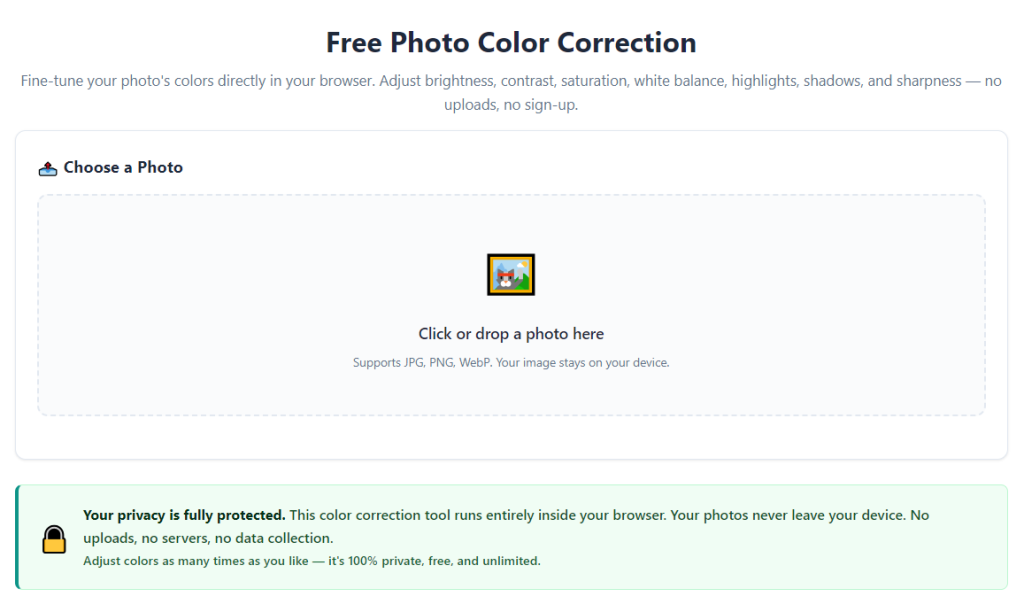
After learning the operation method, click the link below to enter the tool page for immediate use.