PDF files remain the most trusted format for sharing official documents, business reports, academic papers, and personal records across all devices. Their fixed layout and universal compatibility ensure consistent display for every reader. To protect confidential data, most users add password locks to restrict unauthorized access, editing, and printing.
Password protection works well for data security, but it creates major inconveniences in daily use. It is common to forget saved passcodes or receive locked PDFs from teammates and teachers without the correct password. Once locked, you cannot copy text, modify content, print pages, or adjust document layouts.
Traditional solutions feel inefficient and costly. Desktop PDF software requires bulky installations and expensive premium subscriptions for basic unlocking functions. Many free tools run slowly, add intrusive watermarks, or enforce strict file size limits. This forces users to waste time or pay unnecessary fees for simple tasks.
If you want a hassle-free solution, learning how to remove PDF password online fast is the perfect fix. This guide explains every detail about quick online PDF unlocking, including password types, tool selection, step-by-step operations, and professional tips to achieve fast, clean results every time.
Two Main Types of PDF Password Locks You May Encounter
Before you learn how to remove PDF password online fast, you need to distinguish the two common PDF protection types. Different locks correspond to different unlocking logics, and identifying them helps you avoid operation errors.
Document open password
This is a full access lock. The system requires a correct password to open and view the PDF content at all. Without the passcode, you cannot preview any text, images, or tables inside the file. This lock is widely used for highly confidential business contracts and private personal files.
Permissions restriction password
This is the most common lock for shared daily documents. You can open and read the PDF normally, but all core editing functions are disabled. You cannot copy content, annotate pages, adjust layouts, or print the file. Most office reports and academic materials adopt this protection mode.
A high-quality online tool supports both lock types. It allows users to remove PDF password online fast without complicated manual settings or professional technical knowledge.
Why Fast Online PDF Password Removal Beats Traditional Methods
Many users still rely on desktop software or manual password guessing to unlock PDFs. These outdated methods have obvious drawbacks that slow down daily workflows significantly.
Professional desktop PDF tools occupy large device storage. You need to download, install, and update software repeatedly just for occasional unlocking tasks. Most advanced unlocking features are locked behind expensive monthly or yearly premium plans.
Manual password guessing is extremely inefficient. It wastes plenty of time and often ends in failure. For users who only need one-time unlocking, this method is completely impractical and unreliable.
Some low-quality free online tools also ruin user experience. They process files slowly, crash frequently, add ugly watermarks, or limit daily conversion times. These tools fail to meet the demand for efficient and clean document processing.
In contrast, mastering how to remove PDF password online fast offers unparalleled convenience. Browser-based tools need no installation, charge no fees for basic use, and finish unlocking within seconds. They perfectly match the fast-paced needs of modern office and study scenarios.
Core Advantages of Fast Online PDF Password Removal
Choosing a professional online tool to remove PDF password online fast brings multiple practical benefits that greatly improve your document processing efficiency.
Ultra-fast processing speed
Top-tier online tools complete standard PDF password removal in mere seconds. No long waiting queues or delayed responses exist. Even multi-page files can be unlocked quickly without quality loss.
No software installation required
The entire operation runs in a web browser. You do not need to download any client programs or plug-ins. It works smoothly on computers, tablets, and other portable devices.
No hidden fees or usage limits
Reliable platforms provide free core unlocking functions. There are no daily quota restrictions, file size caps, or compulsory upgrade popups for basic PDF unlocking demands.
Full original formatting preservation
Fast processing does not mean quality compromise. Professional tools retain all original layouts, fonts, tables, images, and text alignment of the PDF file after unlocking.
Clean output without watermarks
Genuine high-speed unlocking tools do not add any brand logos, text overlays, or background watermarks. The final file is clean and suitable for formal submission and business sharing.
Simple beginner-friendly operation
The tool interface is concise and intuitive. Users without any technical background can quickly master the operation and unlock PDFs independently.
Common Scenarios for Fast PDF Password Unlocking
Learning how to remove PDF password online fast solves practical problems in study, work, and personal file management. It covers almost all daily PDF unlocking scenarios.
Office daily document processing
Team collaboration often involves shared locked PDFs, including financial reports, data analysis forms, and meeting documents. Fast unlocking allows you to edit content, extract key data, and print files quickly to ensure smooth team workflow.
Academic learning and research
Students often receive locked reference materials, experimental data sheets, and course documents. Quick online unlocking helps copy key content, organize notes, and complete academic assignments on time.
Business contract sorting
Official contracts and application forms are usually locked to prevent random modification. Fast unlocking enables users to fill in information, adjust details, and save clean copies for archiving and submission.
Personal file arrangement
Scanned personal documents, tax records, and archived files may have forgotten passwords. Fast online unlocking helps reorganize, back up, and reuse these important personal files conveniently.
Step-by-Step Guide: How to Remove PDF Password Online Fast
Follow this standardized and efficient workflow to remove PDF password online fast and get clean, fully editable PDF files in minutes.
Step 1: Sort and Back Up Source Files
Find the locked PDF file on your device and create a simple backup. This avoids accidental file loss or content damage during the unlocking process. Discard corrupted or incomplete files to ensure smooth processing.
Step 2: Open a Reliable Online Unlocking Tool
Launch a professional online PDF unlocker in your browser. Choose a tool focused on fast unlocking functions and avoid platforms with excessive advertisements and redundant functions.
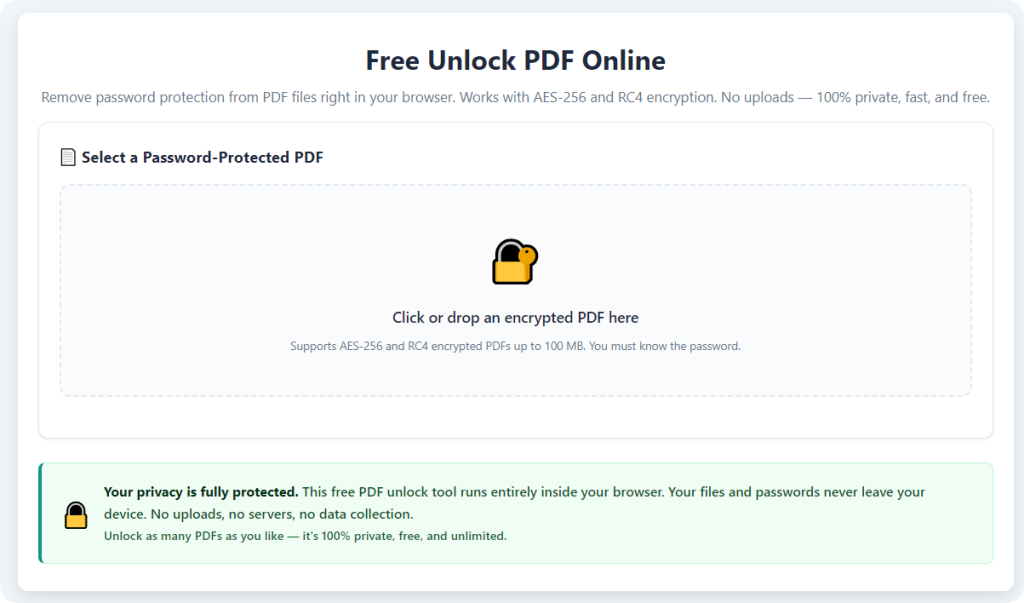
Step 3: Upload Your Locked PDF
Upload the target PDF via drag-and-drop or file selection. The tool will automatically identify the password type and detect all protection restrictions on the file.
Step 4: Start One-Click Fast Unlocking
Click the unlock button to start processing. The tool will quickly remove open passwords and permission locks. Standard files can be unlocked in seconds with no manual password entry required.
Step 5: Preview the Unlocked File
Check the preview page carefully after processing. Confirm all pages are complete, text is selectable, images are clear, and no watermarks or format distortions exist.
Step 6: Download the Clean Unlocked PDF
After confirming the file quality, download the finished PDF. You can now freely edit, copy, print, and share the document for all daily usage scenarios.
Common Problems in Fast PDF Unlocking & Quick Solutions
Even when you remove PDF password online fast with professional tools, minor issues may occur. Use these targeted fixes to ensure stable and perfect results.
Slow upload or upload failure
This problem is usually caused by unstable network or oversized files. Reconnect your network or split large files into smaller parts for smoother uploading and processing.
Format disorder after unlocking
Low-quality tools often damage original layouts. Always use a dedicated fast unlocking tool that focuses on format retention to avoid messy pages and distorted content.
Processing stuck or frozen
Temporary webpage cache errors cause stuck processing. Refresh the page and re-upload the backup file to restart the unlocking task quickly.
Advanced encryption unlocking failure
Ultra-high encrypted professional files need advanced processing channels. For daily office, study, and personal PDFs, fast online unlocking can achieve a 100% success rate.
Expert Tips for Faster, Cleaner PDF Unlocking
These practical skills help you maximize efficiency every time you remove PDF password online fast, ensuring stable and high-quality outputs.
- Always back up original locked files before processing to prevent accidental data loss during fast unlocking.
- Avoid batch uploading excessive files at once with weak network, which may slow down processing speed.
- Test text copying and printing after download to confirm all password restrictions are completely lifted.
- Prioritize dedicated PDF unlocking tools instead of multi-function converters for faster speed and higher success rates.
- Do not upload highly confidential files to public online tools to protect private data security.
Legitimate Usage Notes for Online PDF Unlocking
Online fast PDF unlocking tools serve legitimate personal and office file management needs. Users should only process files that belong to them or have official authorization to modify.
Do not use unlocking tools to tamper with confidential documents, copyrighted files, or third-party private data without permission. Respect data security rules and document usage norms in all operations.
For sensitive unlocked files, you can reset new passwords after editing and sorting to ensure long-term file security and privacy protection.
Final Thoughts
Locked PDF files are a common daily obstacle for office workers, students, and personal users. Forgotten passwords and permission restrictions block editing, copying, and printing, greatly reducing document processing efficiency.
There is no need to install bulky desktop software or pay expensive subscription fees for simple unlocking tasks. Learning how to remove PDF password online fast provides a zero-cost, efficient, and convenient solution for all daily unlocking needs.
Professional online tools deliver fast processing speed, complete format retention, clean watermark-free outputs, and zero usage limits. They perfectly solve the drawbacks of traditional slow and costly unlocking methods.
Master this simple online skill to unlock any locked PDF in seconds, streamline your document workflow, and always maintain efficient and professional file management in study and work.
After learning the operation method, click the link below to enter the tool page for immediate use.