Bulk PNG to BMP Converter
Batch convert multiple PNG images to BMP format instantly. Adjust quality, resize, and download all as ZIP. 100% free, no signup, no uploads.(Need reverse conversion? Try our BMP to PNG → tool instantly)
or click to browse
Upload PNG images to convert
No files converted yet
Your images are processed entirely in your browser. They never leave your device. No uploads, no tracking, no signup.
Bulk PNG to BMP Converter – Batch Convert PNG to BMP for Free
Look, I've been there. You've got a folder full of PNGs — maybe they're icons, screenshots, or design assets — and you need to convert them all to BMP for some legacy software, an embedded system, or a picky client. Doing them one by one is a pain. And every converter you try either adds a watermark, limits how many files you can upload, or makes you sign up for a "free trial." It's annoying, right? That's why I built this — a bulk PNG to BMP converter that actually works without all the nonsense.
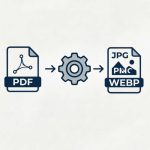
This tool lets you batch convert PNG to BMP with full control over quality and size. Upload multiple files at once, adjust the output quality, resize images, and download everything as a single ZIP. No uploads, no watermarks, no signup — just pure, clean batch conversion right in your browser.
Upload multiple PNG files and convert them all in one go. No per-file limits.
Choose from Low, Medium, or High quality presets to balance file size and image quality.
Keep original size, scale by percentage, or use preset dimensions.
Download all your converted BMPs as a single ZIP file. One click, all files.
Your PNG files never leave your browser. No uploads, no servers, no privacy concerns.
Use it right now. No registration, no email, no credit card. Just convert and go.
How to Batch Convert PNG to BMP for Free
- Upload your PNG files – Drag and drop your PNG images into the upload area or click to browse. Select multiple files at once.
- Choose quality – Select Low, Medium, or High quality. High is the recommended default.
- Resize if needed – Keep original size, scale by percentage, or use a preset.
- Click "Convert to BMP" – The tool processes all your files instantly in your browser.
- Download – Download each file individually or use the "Download All as ZIP" button.
That's it. No hidden steps. No "sign up to download" nonsense. Just batch convert and go.
PNG vs BMP: Why Convert?
Here's the short version — PNG is for the web, BMP is for legacy compatibility. PNG uses lossless compression, supports transparency, and keeps file sizes small. BMP is uncompressed, huge, and basically a raw dump of pixels.
So why would anyone bulk convert PNG to BMP? Because some old Windows software, embedded systems, and certain image pipelines only accept BMP. If you're sending a batch of files to a legacy app or a device that expects raw bitmaps, BMP is your only option. But if you're just trying to share photos or put them on a website, stick with PNG — or convert to JPG.
| Aspect | PNG | BMP |
|---|---|---|
| Compression | Lossless (DEFLATE) | Usually none |
| File Size | Small | Much larger |
| Transparency | Yes (alpha channel) | No (flattened) |
| Best For | Web, sharing, design | Legacy apps, embedded systems |
Why I Made This (and Why You'll Actually Use It)
Here's the thing — I used to use those big online converter tools. You know the ones. They work, but they're slow, they have limits, and honestly, I never felt great about uploading my images to who-knows-where. So I built this. It's fast, it's private, and everything stays on your machine. No file size limits (well, browser memory is the limit, but that's usually plenty). No watermarks. No begging you to upgrade to "Pro."
I've used this to batch convert PNG icons for old Windows apps, prepare images for embedded displays, and convert entire folders of screenshots for legacy workflows. It's one of those tools you don't think you need until you need it, and then you're really glad it exists.
Frequently Asked Questions
Learn how to use this tool correctly by reading our step-by-step tutorial.