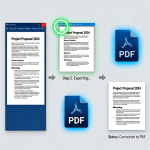
Reading PDF files directly on e-readers creates a long list of frustrating limitations most book lovers and digital readers encounter daily. Standard PDF formatting locks text, images, and margins into a static layout built for desktop screens, not compact e-ink displays.
You cannot resize fonts, adjust line spacing, or zoom without breaking paragraph alignment when opening raw PDF documents on an e-reader. Tiny text forces constant scrolling, while oversized margins waste valuable screen space on smaller portable reading devices.
Many casual converters simply wrap PDF content into an EPUB container without restructuring content. The result remains rigid, unadjustable text that delivers the same poor reading experience as the original PDF file.
A reliable PDF to EPUB converter reflow text for e-readers solves this core pain point. It fully restructures static PDF content into dynamic, responsive text that adapts automatically to every e-reader screen size, font setting, and reading preference.
This comprehensive user guide breaks down the flaws of static PDF reading, key advantages of reflow-enabled conversion tools, essential must-have features, common real-world use cases, and a complete beginner-friendly workflow to produce perfectly optimized e-books for all e-reader hardware.
Common Frustrations Reading Raw PDF On E-Readers
Static PDF layout standards were designed for fixed-size computer monitors, not flexible e-ink hardware. Every unrefactored PDF file brings consistent drawbacks that ruin portable reading sessions.
Tiny unresizable default text
PDF text dimensions stay locked to the original document’s print layout. On compact six-inch or seven-inch e-reader screens, standard 12-point print font shrinks down to barely legible lettering with no simple fix.
Broken formatting when zooming or panning
When readers zoom in to enlarge small PDF text, paragraphs split awkwardly across screen edges. Lines cut off mid-sentence, creating disjointed reading that requires constant horizontal scrolling back and forth.
Wasted screen space from fixed margins
Print-focused PDFs include wide, static page margins intended for physical printing. On narrow e-reader displays, these borders eat up nearly half your usable reading area and limit text visibility.
Incompatible text scaling controls
Every popular e-reader model includes built-in font size, line height, and paragraph spacing sliders. Static PDF files ignore these device settings entirely, locking readers into one rigid text format.
Disorganized multi-column content
Magazines, textbooks, and digital journals often use two or three column PDF layouts. E-readers cannot split these columns logically, forcing readers to jump vertically and horizontally to follow continuous text.
Low readability on variable light e-ink screens
Fixed small text strains eyes during long reading sessions. Without reflowed, adjustable text, users cannot tweak formatting to reduce eye fatigue during late-night or outdoor reading on e-readers.
Key Benefits of PDF to EPUB Converter Reflow Text For E-Readers
Choosing a dedicated PDF to EPUB converter reflow text for e-readers completely eliminates every static PDF limitation and rebuilds content around flexible e-reader reading standards.
Fully responsive, adjustable reflowable text
The core feature that separates premium tools from basic converters is dynamic text restructuring. Instead of embedding static page snapshots, the tool extracts raw text and rebuilds paragraphs into fluid blocks that shift automatically.
Readers can increase or decrease font size, widen line spacing, or tweak paragraph indentation directly on their e-reader without broken sentences or cut-off words.
Optimized layout for all e-ink screen sizes
Reflow conversion strips out print-only fixed margins, rigid column splits, and desktop-sized page framing. The finished EPUB adapts seamlessly to small compact readers and larger high-resolution e-reader models alike.
Eliminates side-to-side horizontal scrolling
Static PDFs force horizontal pan to read wide lines on narrow screens. Reflowed text wraps naturally to match your e-reader’s screen width, limiting navigation to simple vertical scrolling only.
Preserves core content structure without rigid formatting
A quality PDF to EPUB converter reflow text for e-readers keeps headings, bullet points, paragraph breaks, and chapter divisions intact. It removes only the static print constraints that conflict with portable reading hardware.
Supports all mainstream e-reader device brands
Reflowed EPUB output works natively on every major e-reader lineup. Whether you use Kindle devices, Kobo readers, Nook hardware, or generic Android e-ink tablets, adjusted text formatting functions without compatibility glitches.
Lightweight file size after conversion
Static PDF page snapshots bloat storage space on e-readers. Reflow text extraction discards redundant fixed-page image layers, producing compact EPUB files that load faster and take up minimal device storage.
Simplifies long-form textbook and novel reading
Thick digital textbooks, full-length novels, and multi-chapter reference PDFs transform into comfortable, customizable reading material once processed with a reflow-capable converter. Long study sessions become far less straining on eyesight.
Must-Have Features of a Premium PDF to EPUB Converter Reflow Text For E-Readers
Not every PDF to EPUB conversion tool includes true reflow text functionality. Generic converters only package PDF pages as static images inside EPUB files, offering zero layout flexibility. The best PDF to EPUB converter reflow text for e-readers includes these specialized reading-focused features.
Full text extraction and paragraph reflow engine
The core requirement is a dedicated text parsing engine that separates written content from fixed page geometry. This engine reconstructs continuous reading flow instead of embedding static page previews.
Multi-column layout automatic restructuring
For PDF textbooks, magazines, and articles with dual or triple column formatting, the tool merges split text into single vertical reading blocks optimized for vertical e-ink displays.
Custom margin trimming controls
Users can remove oversized print margins during conversion, shrinking empty border space to maximize usable text area on small e-reader screens.
Heading and chapter hierarchy retention
The converter detects title, subheading, and chapter break markers from source PDFs. It embeds functional EPUB navigation bookmarks matching your original document’s section structure.
Image resizing and inline embedding
Visual elements like charts, diagrams, and illustrations resize proportionally alongside reflowed text. Images shrink to fit screen width without breaking surrounding paragraph flow.
Font embedding fallback options
Tools include standard readable font sets optimized for e-ink low-glare displays. Users can add custom serif or sans-serif fonts to match their preferred reading style post-conversion.
Batch multi-file conversion support
Readers with entire libraries of PDF textbooks or short stories can process dozens of documents at once, each receiving fully reflowed text formatting ready for e-reader transfer.
Clean footnote and citation repositioning
Academic PDFs filled with footnotes, endnotes, and reference citations reformat these markers inline or at chapter ends instead of locking them to fixed page bottom positions.
Preview panel for reflow quality checks
Built-in previews show how text will render on standard e-reader screens before exporting the final EPUB file. Users can adjust margin, column, and text parsing settings mid-process.
Common Real-World Use Cases For Reflow PDF to EPUB Conversion Tools
A versatile PDF to EPUB converter reflow text for e-readers fits nearly every digital reading scenario for students, casual book lovers, academic researchers, and self-published writers.
Student textbook PDF conversion
Most university course materials, lecture handouts, and digital textbooks distribute as static PDF files. Reflow conversion turns dense academic PDFs into adjustable, eye-friendly e-book files for daily class study on portable e-readers.
Novel and fiction PDF formatting
Many self-published authors distribute manuscript drafts or full novels in PDF format. Converting with reflow text creates flexible EPUBs perfect for personal reading on lightweight e-ink devices.
Magazine and journal digital reading
Academic journals, hobby magazines, and weekly digital publications rely on multi-column PDF layouts. Reflow restructuring eliminates frustrating side scrolling and broken line breaks during casual reading.
Reference guide and technical manual processing
Instruction manuals, technical handbooks, recipe collections, and travel guides often ship as fixed-layout PDFs. Reflowed EPUB versions allow font adjustment for comfortable on-the-go reference checking.
Library and personal e-book library organization
Readers building a portable digital library convert all saved PDF reading material into uniform reflowed EPUB files. Every document gains consistent adjustable formatting across all e-reader hardware.
Academic research paper reading
Scholars reviewing peer-reviewed articles, thesis excerpts, and case study PDFs benefit hugely from reflow text. Adjustable sizing makes long research sessions far less taxing on eyes during extended reading.
Self-publisher manuscript previews
Writers drafting books in PDF format can generate reflowed EPUB test files to preview how text will render on consumer e-readers before final publication formatting.
Step-by-Step Complete Guide: Use PDF to EPUB Converter Reflow Text For E-Readers
Follow this streamlined, device-friendly workflow to generate perfectly reflowed, e-reader optimized EPUB files from any static PDF source document.
Step 1: Organize your source PDF files
Gather all PDF documents you plan to convert and store them in a single easy-to-locate folder. Separate long textbooks, short articles, and fiction manuscripts if you intend to apply different reflow settings to each group.
Review each PDF briefly to note special formatting elements: multi-column layouts, footnotes, embedded charts, wide print margins, or complex table structures that will require adjusted parsing rules.
Step 2: Launch the reflow-capable PDF to EPUB converter tool
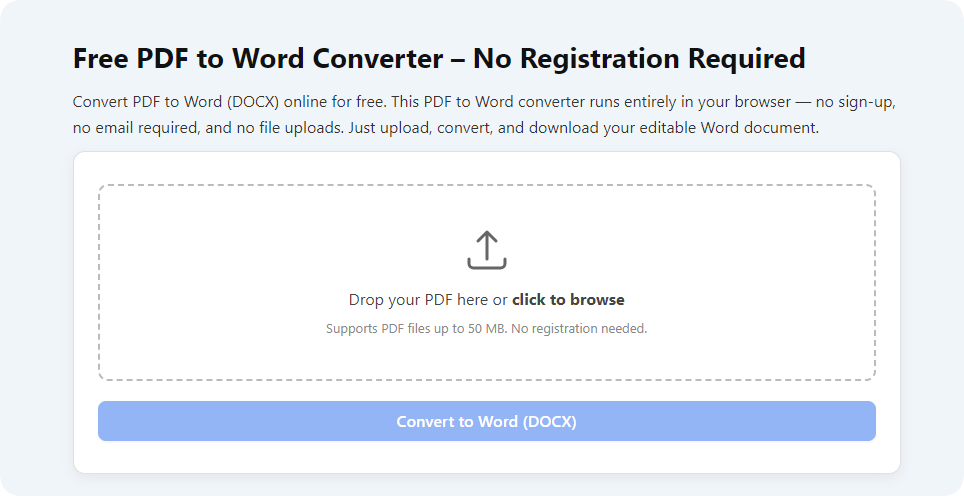
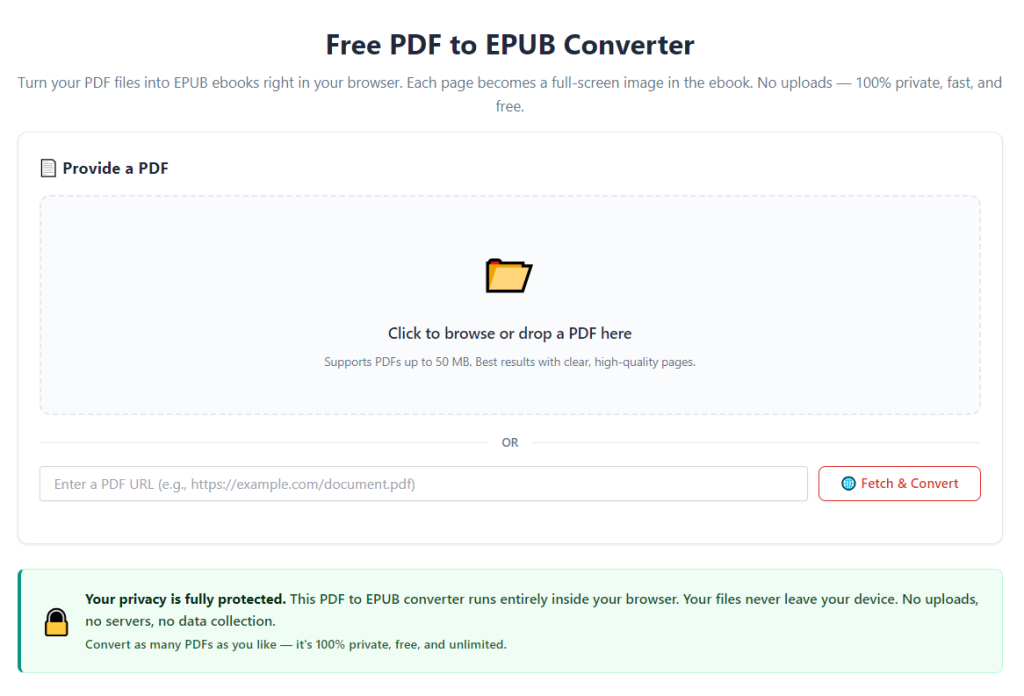
Open your selected converter platform on your desktop device. Navigate directly to the PDF upload interface and locate the dedicated reflow text toggle setting—this critical option must be enabled before processing any files.
Spend 30 seconds reviewing the adjustable customization panels: margin trim controls, column merge options, font embedding settings, and footnote formatting rules tailored for e-reader output.
Step 3: Upload single or batch PDF source documents
Drag and drop your target PDF files into the tool’s upload zone, or use the file browser selection menu to import documents. Confirm all uploaded files appear in the processing queue with no missing or corrupted file errors.
If converting mixed document types (textbooks + fiction articles), split them into separate batches to apply matching reflow presets for consistent output quality.
Step 4: Activate core reflow text processing mode
Locate the primary feature labeled reflow text for e-readers and toggle the setting to active. Without enabling this option, the tool will produce static image-based EPUBs with zero adjustable text functionality.
After activating reflow mode, select your primary e-reader device model from the preset menu. Presets auto-adjust margin trimming, text scaling, and column merging to match your hardware’s native screen dimensions.
Step 5: Tweak secondary formatting customizations
Trim oversized print margins using the margin slider tool; reduce border width to allocate maximum screen space to readable text blocks. Enable auto-merge multi-column layout for journal, textbook, and magazine PDF sources.
Adjust footnote and citation positioning—choose inline markers or chapter-end reference placement based on your personal reading preference. Toggle image resizing to fit screen width to avoid oversized diagram cutoffs.
Step 6: Run preview quality check
Launch the built-in e-reader preview window to sample a few pages of your reflowed content. Scroll through paragraphs, test simulated font size increases, and verify images, headings, and citations render without broken formatting.
If text appears cramped or images overflow simulated screen bounds, return to the customization panel and adjust margin, column, or image scaling parameters before full batch processing.
Step 7: Start full PDF to EPUB conversion with reflow text engine
Once preview results meet your reading standards, initiate the full conversion process. The tool’s dedicated reflow engine will parse raw text, rebuild paragraph structure, restructure columns, and reposition visual elements automatically.
Larger textbook-length PDFs will require slightly longer processing time to parse thousands of pages of academic text and citations. Small short-story or article PDFs finish exporting within seconds.
Step 8: Export finished reflowed EPUB files
When conversion completes, select an output folder to save your finalized EPUB documents. Label folders clearly by book title, subject, or batch type for simple library organization later on your e-reader device.
Download or copy all completed EPUB files to your local storage; avoid closing the converter window mid-export to prevent corrupted e-book file outputs.
Step 9: Transfer EPUB files to your e-reader hardware
Connect your e-reader device to your desktop via standard data cable, or sync files through your device’s official cloud transfer system. Drag the reflowed EPUB files into your e-reader’s dedicated e-book storage folder.
Safely eject the hardware once all file transfers finish fully to eliminate data corruption risks during disconnection.
Step 10: Test adjustable text formatting on your e-reader
Power on your e-reader and open the newly converted EPUB file from your library menu. Navigate to the device’s text settings panel and test font size, line spacing, and margin adjustment sliders.
Confirm all paragraphs wrap cleanly, images resize proportionally, and chapter navigation bookmarks function correctly. If minor formatting gaps appear, reprocess the original PDF with adjusted reflow tool settings for revised output.
Common Mistakes To Avoid When Using PDF to EPUB Converter Reflow Text For E-Readers
Even with a fully featured PDF to EPUB converter reflow text for e-readers, these frequent user errors produce rigid, low-quality e-book files unsuitable for comfortable portable reading.
Forgetting to enable the core reflow text toggle
The most frequent mistake is running conversion with default static PDF packaging settings active. Without turning on reflow text processing, your final EPUB retains all fixed print layout limitations of the original PDF file.
Skipping the preview quality check before batch export
Users often process dozens of PDF files without sampling reflow rendering first. Unique complex formatting like dense tables or multi-column academic layouts may require custom settings missed without preview testing.
Leaving oversized print margins untrimmed
Many readers ignore the margin adjustment slider during setup. Unmodified wide print borders waste valuable screen real estate on compact six-inch e-reader displays and shrink usable text blocks unnecessarily.
Processing scanned image-only PDF documents
Reflow text engines cannot extract editable written content from fully scanned photo-based PDFs. Image-only source files will produce static unadjustable text even with reflow mode enabled.
Mixing vastly different document types in one batch
Processing thick textbooks alongside short fiction articles in a single batch forces one uniform reflow preset onto mismatched content types. Separate batches deliver tailored, higher-quality formatting for each material category.
Transferring EPUB files mid-conversion export
Closing the converter tool or disconnecting storage devices while files export creates corrupted, unopenable EPUB archives that fail to load properly on e-reader hardware.
Ignoring device-specific preset profiles
Generic default reflow settings do not match every e-reader screen resolution. Skipping device presets leads to misaligned text blocks and oversized or undersized visual elements on your specific hardware model.
Expert Pro Tips To Maximize Results From PDF to EPUB Converter Reflow Text For E-Readers
Use these actionable, reader-focused strategies to get flawless adjustable e-book output every time you utilize a PDF to EPUB converter reflow text for e-readers.
- Always separate scanned image PDFs and editable text PDFs into separate processing queues—only text-based source files support full reflow text restructuring.
- Create saved custom preset profiles for your most common document types: academic textbooks, fiction novels, magazine journals, and technical manuals.
- Bulk process all new reading material once weekly to build a fully reflowed digital library ready for quick transfer to your e-reader device.
- Prioritize merging multi-column layouts for academic and hobby publications to eliminate constant horizontal scrolling during reading sessions.
- After conversion, archive the original PDF source file alongside your reflowed EPUB copy for future reprocessing if formatting adjustments become necessary.
- Test font scaling and line spacing controls immediately after transferring new EPUBs to catch minor parsing errors before long reading sessions begin.
- For long research textbooks, enable footnote inline repositioning to avoid frequent page jumps when referencing citations mid-chapter.
- Clear out outdated static EPUB archives converted without reflow text processing to free up storage space on your e-reader hardware.
Final Thoughts
Static PDF print layouts were never designed for small, flexible e-ink reading hardware. Fixed font sizes, rigid column splits, oversized margins, and unadjustable text create unnecessary eye strain and disrupt the immersive portable reading experience every e-reader owner seeks.
Manually editing each PDF file line by line to restructure text for e-readers wastes hours of spare reading time and requires advanced formatting knowledge most casual users do not possess. Generic basic conversion tools only repackage static PDF pages without addressing the core layout rigidity issues.
A reliable PDF to EPUB converter reflow text for e-readers resolves every pain point associated with PDF e-reader reading in one streamlined conversion step. Its dedicated text parsing engine rebuilds static print content into fully responsive, customizable paragraphs compatible with every major e-ink device brand and screen size.
With adjustable margin trimming, multi-column merging, image scaling, and device-specific preset profiles, this tool serves students, book enthusiasts, academic researchers, and independent writers equally well. Every converted EPUB file unlocks full native text customization controls built into your e-reader’s operating system.
By following the detailed step-by-step workflow and avoiding common conversion mistakes outlined above, you can transform your entire PDF reading library into comfortable, adjustable reflowed EPUB files optimized for effortless long-term reading on any portable e-reader hardware.
After learning the operation method, click the link below to enter the tool page for immediate use.