PDF Form Filler With Signature
Fill out PDF forms online — add text, dates, checkmarks, and digital signatures. No signup, no uploads, 100% local.
or click to browse
Upload a PDF to start filling
Your PDF is processed entirely in your browser. It never leaves your device. No uploads, no tracking, no signup.
PDF Form Filler With Signature – Fill & Sign PDF Forms Online
Look, I've been there. You get a PDF form that needs to be filled out — an application, a contract, some registration document. And you have to print it, fill it out by hand, scan it back in, and email it. It's 2025 and we're still doing this? That's just silly. I built this PDF form filler with signature so you can skip all that nonsense.
This tool lets you fill out PDF forms online without printing, scanning, or uploading your files anywhere. Add text, dates, checkmarks, and even digital signatures. Everything stays on your computer. No signup. No watermarks. No weird limits.
Type text anywhere on the PDF. Great for names, addresses, and filling in blank fields.
Add date fields with a click. Perfect for signatures, contracts, and time‑sensitive forms.
Add checkmarks to any form. Mark options, agreements, and selections without printing.
Add a handwritten-style signature to any PDF. No more printing and scanning.
Your PDF never leaves your browser. No uploads, no servers, no privacy worries.
Use it right now. No registration, no email, no credit card. Just fill and go.
How to Fill Out a PDF Form Online for Free
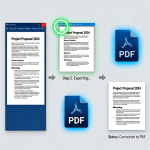
- Upload your PDF – Click the upload area or drag and drop your form.
- Choose a page – Click on any page thumbnail in the left panel to switch pages.
- Add elements – Use the toolbar buttons to add text, dates, checkmarks, or signatures.
- Position and resize – Click on any element to select it, then drag to move or resize it.
- Customize – Change text, color, font size, and more in the properties panel.
- Export – Click "Export" to download your filled-out PDF form.
That's literally it. No hidden steps. No "sign up to download" nonsense. Just fill and go.
Why I Made This (and Why You'll Actually Use It)
Here's the thing — I used to use those big online PDF tools. You know the ones. They work, but they're slow, they have limits, and honestly, I never felt great about uploading my documents to who-knows-where. So I built this. It's lightweight, it's fast, and everything stays on your machine. No file size limits (well, browser memory is the limit, but that's usually plenty). No watermarks. No begging you to upgrade to "Pro."
I've used this to fill out job applications, sign contracts, complete registration forms, and mark up invoices. It's one of those tools you don't think you need until you need it, and then you're really glad it exists.
Frequently Asked Questions
Learn how to use this tool correctly by reading our step-by-step tutorial.