Most standard text analysis tools come with frustrating restrictions. They cap input length, block long paragraphs, or stop counting once text reaches a preset word limit. This creates major hurdles for anyone working with lengthy written content, from academic researchers to professional writers and content editors.
When you are working on long essays, full reports, manuscripts, or bulk text archives, partial counting results are completely useless. A truncated count cannot help you verify formatting rules, meet submission standards, or audit full-document character consistency. This is why a character counter without word limit has become a staple tool for serious writers and editors.
Unlike basic online counters that enforce strict input limits, an unlimited character counter processes entire text blocks in one single scan. It eliminates fragmented analysis, repetitive partial checks, and inaccurate estimations that slow down content workflows.
This comprehensive tutorial explains the downsides of limited counters, core advantages of a character counter without word limit, essential tool features, real-world use cases, and a step-by-step method to get precise, full-scale character counts for any text size.
Why Limited Word Counters Hurt Productivity
Standard free character counters rely on rigid word and character caps designed for short-form content. These restrictions create consistent workflow bottlenecks for long-form writing tasks.
Truncated text analysis
Most basic tools automatically cut off incoming text once it hits a fixed limit. Users only receive statistics for the first section of their work, leaving the majority of content unmeasured.
Forces repetitive manual splitting
To count full documents, users must split long text into dozens of small chunks. They then calculate totals manually, which wastes time and introduces human calculation errors.
Breaks content context integrity
Splitting essays or reports disrupts paragraph flow and structural context. It becomes impossible to analyze overall document length and formatting consistency accurately.
Inaccurate final estimations
Adding separate chunk counts together never delivers precise results. Small gaps, excluded spaces, and missed formatting characters skew the final total significantly.
Slows down bulk editing workflows
Professional editors handling multiple long documents face massive delays with limited tools. Repetitive chunk checking reduces overall editing efficiency drastically.
Common Scenarios That Need Unlimited Character Counting
Short-limit counters only work for captions, short answers, and brief paragraphs. Many professional and academic tasks require unlimited text processing capacity.
Long-form academic research
Thesis chapters, research papers, and literature reviews contain thousands of characters. Limited tools cannot process full sections, leading to incomplete compliance checks.
Professional business reports
Corporate analysis documents, project proposals, and audit files feature extended text blocks. Full-length counting ensures consistent formatting and submission compliance.
Manuscript and book drafting
Authors and writers track character counts for full chapters and complete drafts. Unlimited tools deliver accurate progress tracking without text splitting.
Bulk text archiving and conversion
Converting raw text archives, transcribed interviews, and lecture notes requires full-document analysis. Limited counters fail to support large-scale text processing.
Legal and formal document review
Legal agreements and formal statements require precise character verification. Partial counts risk compliance errors and inconsistent documentation standards.
Key Benefits of a Character Counter Without Word Limit
A dedicated character counter without word limit solves every issue tied to restricted text analysis tools, delivering reliable results for all content sizes.
100% unrestricted text input
The tool accepts short snippets, long paragraphs, multi-page documents, and full manuscript texts. There is no maximum word cap, character cutoff, or input restriction of any kind.
One-scan full document analysis
Users can paste entire documents and receive complete statistics instantly. No more splitting text, counting chunks separately, or calculating manual totals.
Zero loss of accuracy
Unlimited counters register every space, punctuation mark, special symbol, and formatting character across the full text. Results match exact document specifications perfectly.
Saves hours of repetitive work
Automated full-length scanning eliminates manual chunk division and math calculations. Editing and auditing workflows become far more efficient.
Preserves original text structure
The tool only analyzes statistics. It never modifies spacing, deletes line breaks, or alters original wording in any capacity.
Consistent bulk processing
It delivers uniform counting standards across short and long content alike, making it ideal for batch document auditing and professional content reviewing.
Must-Have Features of a Quality Unlimited Counter Tool
Top-tier tools offering character counter without word limit functionality include premium features missing from basic free counters.
Infinite text input capacity
The core feature allows unlimited pasting and typing. No matter how large the document, the tool processes every character without truncation or errors.
Dual counting metrics
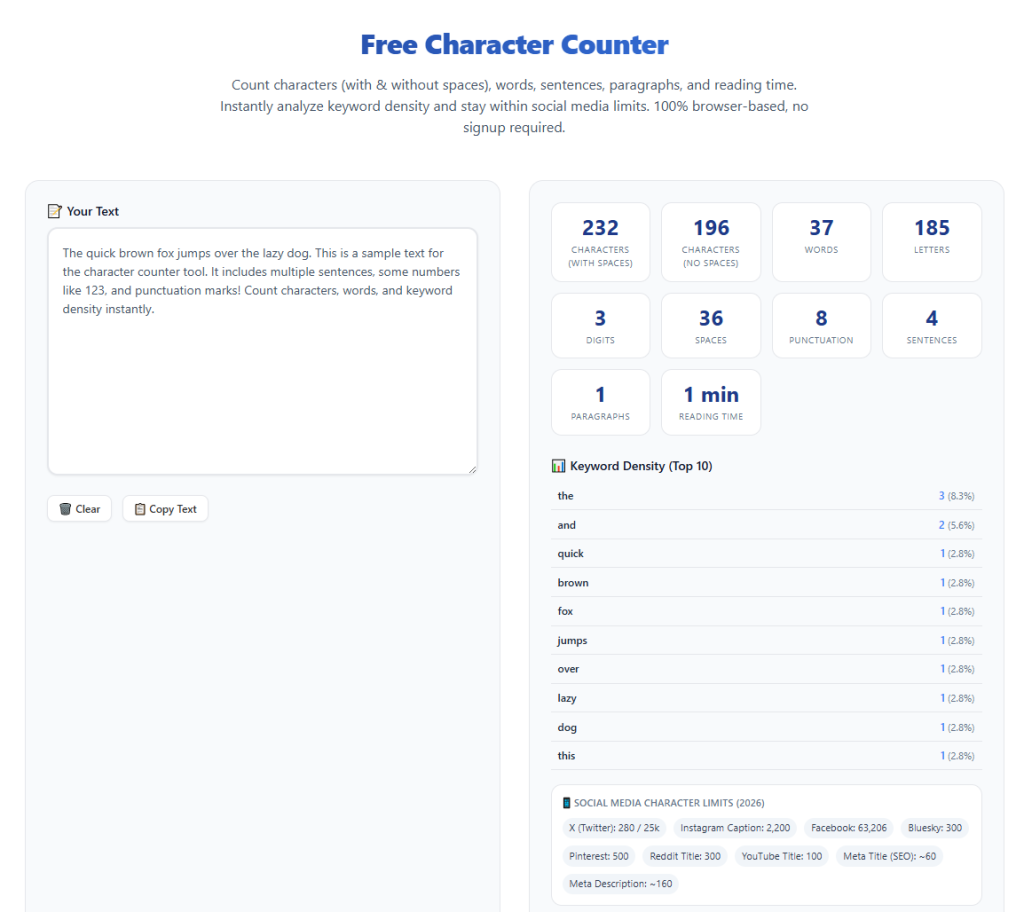
It displays accurate counts for characters with spaces and characters without spaces, covering all institutional and platform guidelines.
Full formatting character recognition
The tool detects line breaks, tabs, symbols, and special characters that basic counters ignore. This ensures industry-level counting precision.
Real-time dynamic updates
Statistics update instantly as users edit, delete, or add new content. Writers can monitor length changes throughout the drafting process.
Comprehensive text statistics
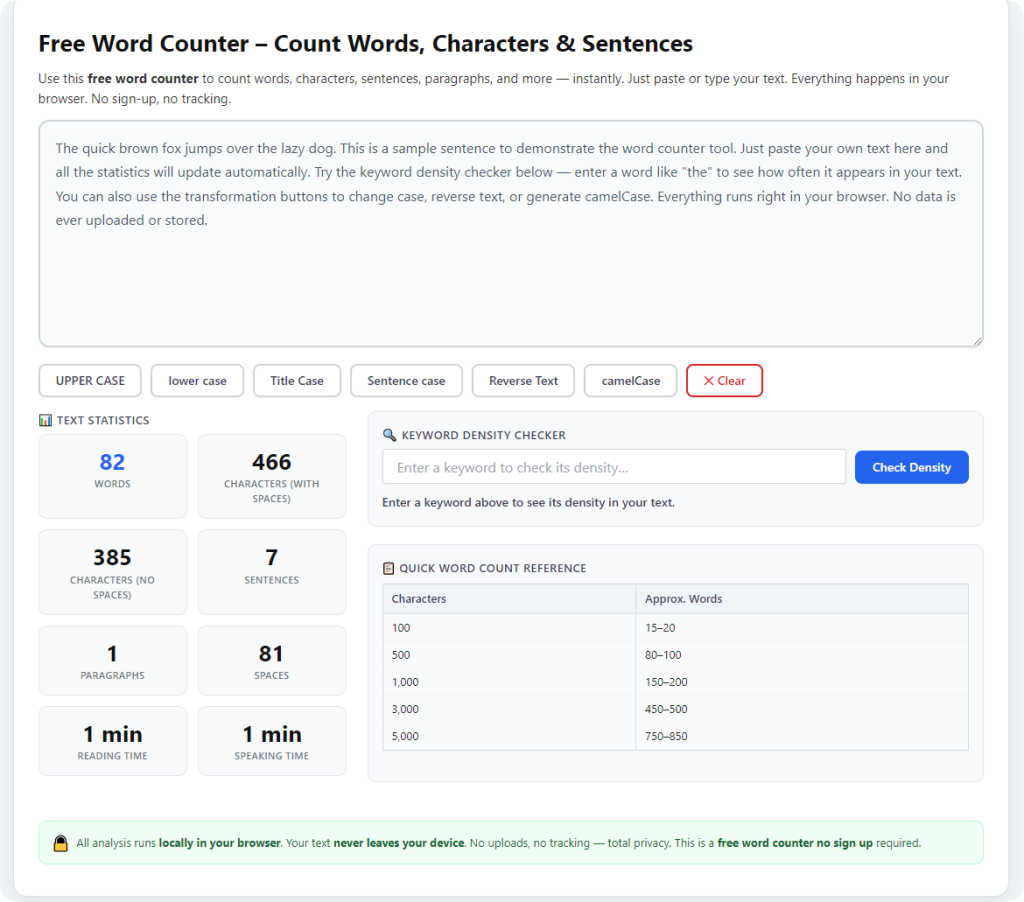
Beyond character counts, it shows word totals, paragraph numbers, and line counts for complete document overview.
No hidden limitations or paywalls
Trusted unlimited counters offer full long-text functionality for free. There are no locked features, trial restrictions, or upgrade prompts.
Step-by-Step Guide: Use Character Counter Without Word Limit
Follow this simple workflow to analyze any text size accurately and efficiently with zero restrictions.
Step 1: Gather Your Full Text Content
Copy your complete document, essay, report, or text draft. You can collect short paragraphs or multi-page content without worrying about size limits.
Keep all original formatting intact for the most precise counting results.
Step 2: Launch an Unlimited Counting Tool
Open a reliable character counter without word limit. Confirm the tool advertises unrestricted input and no word cap limitations.
Step 3: Paste Entire Text Block
Paste your full text into the tool’s input field. Unlike limited counters, this tool will accept every word and character without cutting off content.
You may also type content directly for real-time length tracking during drafting.
Step 4: Review Full Statistics
Check the generated data, including total character count with spaces, character count without spaces, word count, and paragraph count.
Verify that the tool has processed your entire document with no missing sections.
Step 5: Adjust Content as Needed
If your document needs length adjustments, trim redundant sentences or add supporting details. Use real-time updates to monitor changes instantly.
Maintain your original writing tone and core message while optimizing length.
Step 6: Save and Finalize
Once your text meets required standards, copy the finalized content. Save your document with fully verified character length accuracy.
Common Mistakes With Long-Text Character Counting
These simple errors can compromise accuracy even when using an unlimited counter tool.
Using limited tools for long documents
Basic capped counters will always truncate large text. Relying on them leads to incomplete data and false length estimates.
Splitting text unnecessarily
Manual text splitting creates inconsistent counting conditions. Always process full documents in one session for uniform results.
Ignoring hidden formatting characters
Hidden tabs and line breaks affect total count. Use a professional unlimited tool to capture every formatting element.
Counting mid-draft prematurely
Frequent early counting creates extra work. Reserve final length checks for completed, fully revised drafts.
Expert Tips for Perfect Unlimited Text Counting
Use these professional tips to maximize accuracy and efficiency with your unlimited character counter.
- Always use a character counter without word limit for long-form content to avoid truncated results and manual chunk splitting.
- Process full documents in a single session to maintain consistent counting standards across all sections.
- Cross-check both spaced and non-spaced character totals to meet diverse submission guidelines.
- Preserve original formatting during input to ensure the tool counts every valid character accurately.
- Use real-time editing features to adjust document length without repeated re-scanning.
- Audit bulk archived text with unlimited tools to standardize document formatting quality.
Final Thoughts
Limited character counters create unnecessary barriers for anyone working with long-form text. Their rigid word caps, truncated scanning, and inaccurate partial results slow down editing, auditing, and drafting workflows significantly.
A high-quality character counter without word limit removes all these restrictions. It delivers unlimited input capacity, full-document accuracy, and real-time statistics for every text type and size.
Whether you are a student editing research papers, an author refining manuscripts, or a professional reviewing business documents, this tool streamlines your workflow and eliminates counting errors entirely.
By following this complete guide, you can consistently achieve precise, reliable character counts for unlimited text lengths, improve document compliance, and boost overall writing efficiency effortlessly.
After learning the operation method, click the link below to enter the tool page for immediate use.