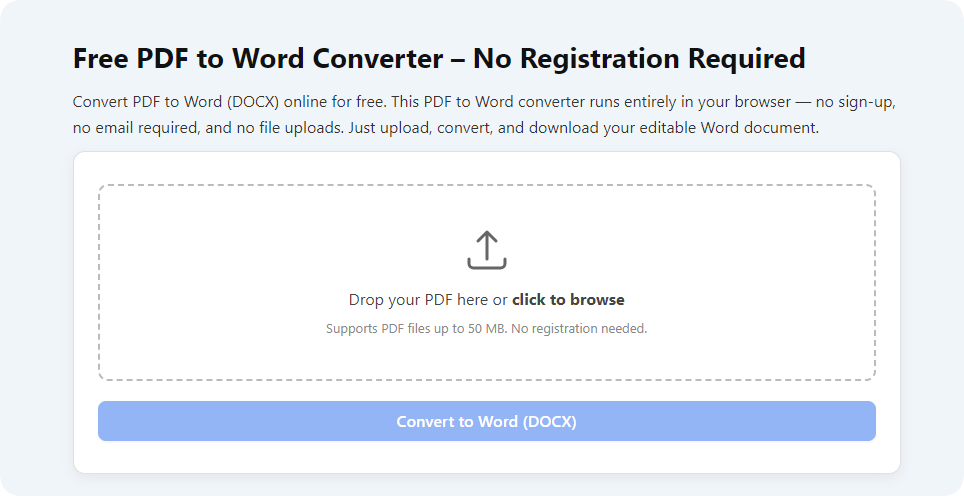
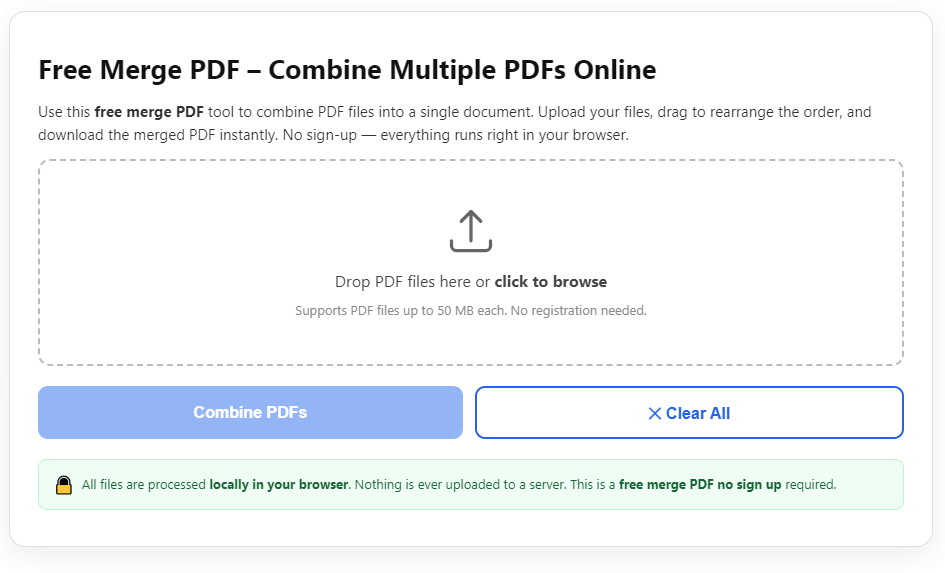
If you run a small business, freelance practice, or legal office, printing, scanning, and mailing physical legal contracts wastes hours every single week. Stacked paper copies, lost signed documents, and delayed client approvals become constant roadblocks to closing deals quickly.
Many professionals don’t realize a reliable PDF sign maker eliminates all these headaches entirely. Mastering how to use PDF sign maker for legal contracts lets you draft, sign, share, and store fully enforceable legal agreements without touching a single sheet of printer paper.
This complete walkthrough breaks down every detail: why manual paper signing fails, core perks of a PDF sign maker, must-have tool features, real-world use cases, a full 10-step signing workflow, frequent user mistakes to avoid, and expert strategies to ensure every digital signature holds up legally. Every tip is written for casual business owners, new legal assistants, and solo contractors with zero prior PDF signature experience.
Why Paper Contract Signing Creates Unnecessary Legal & Operational Headaches
Before diving into how to use PDF sign maker for legal contracts, it’s critical to understand the flaws of traditional physical contract workflows. These issues cost businesses time, money, and even introduce minor legal risks over time.
Slow turnaround for all parties
Printing a legal contract, shipping it via mail, waiting for the other party to sign, then receiving the mailed copy back can stretch negotiations out for days or weeks. Clients often delay responding because they lack easy, instant access to the paperwork they need to review and execute. A PDF sign maker cuts this timeline down to minutes.
High risk of lost or damaged legal records
Physical contracts get misfiled, torn, stained, or misplaced in office storage closets. If a dispute arises later, tracking down a complete signed copy becomes a stressful, time-consuming search. Digital files created via a PDF sign maker store clean, unalterable copies permanently in your cloud or local storage.
Unpredictable print and shipping overhead
Paper, ink, printer maintenance, envelopes, postage, and physical file storage add recurring monthly costs for any team that processes regular legal contracts. Switching to a PDF sign maker removes all these recurring overhead expenses with zero hidden printing fees.
No tamper-proof audit trail for legal validation
Hand-signed paper contracts offer no built-in proof of when each party reviewed, opened, or signed the document. If questions about signature timing surface during legal disputes, you have no objective timestamp evidence to reference. Top-tier PDF sign maker platforms generate full audit logs automatically for every legal contract you process.
Limited remote signing flexibility
If your clients, partners, or vendors live in different cities or states, coordinating in-person signature sessions becomes nearly impossible. Paper workflows force you to rely on slow postal services, while learning how to use PDF sign maker for legal contracts lets any stakeholder sign securely from their laptop, tablet, or smartphone anywhere with internet access.
Difficult duplicate copy management
When multiple stakeholders need identical signed legal contract copies, you must print, sign, scan, and resend separate versions manually. This repetitive work creates inconsistent file versions and opens room for typos or missing signature fields across duplicates. A PDF sign maker generates identical, fully signed digital copies instantly for every involved party.
Core Benefits When You Learn How to Use PDF sign maker for legal contracts
Once you master the full process to operate a PDF sign maker for legal contracts, every part of your document workflow becomes simpler, faster, and more legally secure. These key advantages apply to freelancers, corporate legal teams, real estate agents, and service-based businesses of all sizes.
Legally admissible, binding electronic signatures
The biggest fear most users carry is whether digital signatures from a PDF sign maker hold legal weight. Trusted PDF sign maker tools follow standard electronic signature regulations, meaning every signature placed on your legal contract counts as fully enforceable in official business and legal proceedings. You never need to worry about a judge rejecting your signed digital paperwork later.
Instant cross-device access to all legal contracts
A solid PDF sign maker works across desktop browsers, tablet apps, and mobile phone interfaces. When you learn how to use PDF sign maker for legal contracts, you can upload, edit, add signature fields, and send agreements whether you’re in your office, traveling, or working from a remote location. Clients also receive mobile-friendly links to sign without downloading extra software.
Built-in tamper protection for every signed PDF
Every completed legal contract processed through a reputable PDF sign maker locks the document after the final signature is applied. The tool encrypts the full file, and any attempt to alter text, signature placement, or contract terms after signing triggers clear modification markers visible to all parties. This security layer eliminates the risk of unauthorized edits to finalized legal paperwork.
Automated audit trails for legal documentation
Each time someone opens, views, edits, signs, or forwards your legal contract inside the PDF sign maker, the system logs a timestamp, IP marker, and user identity record. This comprehensive audit trail acts as objective proof if conflicts over contract execution ever emerge. You can download the full log alongside your signed PDF for permanent record-keeping.
Massive cuts to administrative editing time
Drafting legal contracts takes careful attention to legal language, but manual signature prep eats up extra hours each week. Using a PDF sign maker automates signature field placement, reminder alerts for unsigned parties, and post-signing file storage. You redirect hours of repetitive admin work back to revenue-generating client projects instead of document management.
Zero physical storage requirements for archives
Completed signed legal PDFs generated by your PDF sign maker store safely in cloud folders or local hard drives. You eliminate bulky filing cabinets, offsite storage rental fees, and the risk of physical document degradation over years of storage. Searching for past contracts only takes a keyword search instead of digging through stacks of paper folders.
Customizable signature workflows for multi-party legal agreements
Many legal contracts require signatures from buyers, sellers, witnesses, legal representatives, and third-party mediators. A quality PDF sign maker lets you set a custom signing order, send individual access links to each stakeholder, and send automated follow-up reminders for anyone who hasn’t completed their signature block yet. Learning how to use PDF sign maker for legal contracts streamlines complex multi-signatory deals with minimal manual follow-up emails.
Must-Have Features to Look For in a Reliable PDF sign maker for legal contracts
Not all online PDF signature tools are built equally for formal legal contract use. Casual PDF sign makers designed for personal note signatures lack critical security and compliance features required for binding business agreements. When selecting your primary tool, prioritize these blogger and legal-pro recommended functions to simplify how to use PDF sign maker for legal contracts long-term.
Multiple signature creation formats
Your PDF sign maker should support three distinct signature styles to match every legal scenario: hand-drawn freehand signatures (for authentic personal marks), typed name signatures with customizable font styles, and uploaded image signatures scanned from your physical handwritten signature. Having all three options ensures every stakeholder can sign in a format they find comfortable and recognizable.
Editable signature field placement tools
Legal contracts require precise signature placement next to disclosures, liability clauses, payment terms, and witness sections. A strong PDF sign maker includes drag-and-drop signature boxes, date fields, initial blocks, and text input lines you can position anywhere on each PDF page. You can resize, move, or delete fields without rewriting or reuploading your full legal contract draft.
Full PDF document upload compatibility
Look for a PDF sign maker that accepts multi-page legal contracts with no strict page limits. The tool should support standard PDF exports from word processors, legal drafting software, and real estate template platforms. You can upload complete, formatted legal drafts directly instead of splitting long agreements into separate smaller files for processing.
Encrypted file transfer and storage
All legal contract data uploaded to the PDF sign maker must use end-to-end encryption during upload, sharing, and long-term storage. Unsecure tools leave sensitive business terms, client personal information, and financial clauses exposed to data breaches. Encryption guarantees confidential contract details stay protected from outside access at every workflow stage.
Automated signing reminder notifications
Chasing clients to finish unsigned legal contracts wastes hours of back-and-forth messaging. Top PDF sign maker platforms send gentle, customizable email reminders at set intervals to any party with incomplete signature fields. You adjust reminder frequency directly in the tool’s settings panel without drafting separate follow-up messages manually.
Downloadable audit report exports
As covered earlier, audit trails are non-negotiable for formal legal contracts. Your chosen PDF sign maker needs to let you download a complete, printable audit report as a separate PDF file to store alongside your executed legal agreement. This paired documentation strengthens your record trail for audits, tax filings, or potential legal disputes.
Password protection for finished legal PDFs
After all parties sign your contract via the PDF sign maker, add an extra security layer by locking the final PDF with a custom access password. You share the password only with authorized stakeholders, preventing unauthorized third parties from opening or reading confidential contract language.
Cross-browser and mobile responsive interface
Avoid clunky PDF sign maker tools that only work on desktop computers. Mobile optimization lets clients review and sign legal contracts on smartphones without zooming excessively or struggling with misaligned signature fields. This accessibility drastically speeds up signature completion rates for remote clients.
Common Real-World Use Cases for PDF sign maker for legal contracts
The workflow to learn how to use PDF sign maker for legal contracts fits nearly every industry that relies on formal written agreements. These everyday scenarios show exactly how business owners and legal staff leverage this tool to streamline their core operations.
Freelance service client contracts
Writers, graphic designers, consultants, and coaches send service scope legal contracts to new clients constantly. A PDF sign maker lets you upload your standard service agreement template, add signature and payment term fields, and send the document for digital signing before project kickoff. No more waiting for mailed paper copies to start client work.
Real estate purchase and rental legal agreements
Leases, property purchase disclosures, rental addendums, and inspection waivers all demand valid signatures from renters, buyers, sellers, and agents. Real estate professionals who master how to use PDF sign maker for legal contracts close rental and property deals days faster by letting all parties sign remotely without in-person office visits.
Business partnership and LLC formation paperwork
Founders drafting operating agreements, partnership terms, and liability waivers need uniform signed copies from every business co-owner. A PDF sign maker manages sequential signing order so each partner reviews the full legal contract before adding their digital signature, with timestamp logs to track completion order clearly.
Vendor and supplier service legal contracts
Retailers, restaurant owners, and manufacturers sign regular supply agreements, delivery terms, and payment liability forms with outside vendors. Digital signatures created through a PDF sign maker standardize vendor contract workflows and maintain organized digital archives for every supplier relationship over years of operation.
Independent contractor and HR employment paperwork
HR teams process offer letters, non-disclosure agreements, tax compliance forms, and termination clauses for every new hire. Using a PDF sign maker eliminates stacks of onboarding paper and lets remote employees sign all legal employment contracts before their official start date. HR staff store every signed document securely in digital folders long-term.
Loan and financial service legal documents
Small business loans, personal finance repayment agreements, and collateral disclosures require legally binding signatures from lenders and borrowers alike. The tamper-proof encryption and audit trail built into quality PDF sign maker tools satisfy strict financial compliance rules for all signed legal financial contracts.
Legal settlement and mediation documents
Attorneys and paralegals handling minor claim settlements use PDF sign maker platforms to share settlement terms with opposing parties. Digital signing removes scheduling conflicts for in-person mediation sessions and generates court-admissible signed PDFs with full timestamp records for official case files.
Step-by-Step Complete Workflow: How to use PDF sign maker for legal contracts
This 10-stage tutorial walks you through every single action needed to upload, format, distribute, sign, archive, and finalize any legal contract inside a standard PDF sign maker. The steps work for brand-new beginners with zero technical experience, and every instruction aligns with legal best practices for enforceable digital signatures.
Step 1: Finalize your complete legal contract PDF draft
Before opening your PDF sign maker, finish editing all legal language, liability clauses, payment terms, and disclosure text in your preferred word processing software. Export the fully reviewed document as a standard PDF file to preserve all formatting, page breaks, and paragraph structure.
Do not rush this editing phase. Any text edits you make after uploading the contract to the PDF sign maker will require deleting all pre-placed signature fields and reuploading the file from scratch. Double-check all legal terminology, party names, and numerical figures to avoid post-signing revision conflicts later.
Step 2: Launch your trusted PDF sign maker tool
Open your selected PDF sign maker via your desktop or mobile browser. Navigate to the main dashboard page designed for uploading new legal documents. If you use the tool regularly, bookmark the login page to cut down on loading time for future contract workflows.
Spend 30 seconds familiarizing yourself with the core navigation panels: file upload button, signature field editing menu, recipient setup tab, and document security settings. Knowing where each function lives speeds up every subsequent contract you process with the PDF sign maker.
Step 3: Upload your finished legal contract PDF file
Locate the upload prompt on the PDF sign maker’s homepage and select your saved legal contract PDF from your local device storage. Wait for the tool to fully render all pages of your multi-page agreement; longer complex legal documents may take two to five seconds to load completely.
Verify the preview panel displays every page of your contract with no cut-off text or broken formatting. If pages appear distorted, re-export the original document as a fresh PDF before attempting a second upload into the PDF sign maker.
Step 4: Add and position required signature, date, and initial fields
Access the field editing menu inside the PDF sign maker. Drag signature blocks, date entry lines, and initial boxes to every spot on the legal contract that requires stakeholder signatures. Common placement areas include the bottom of each main clause, witness sections, and the final execution page of the agreement.
Label each field clearly by recipient name so every signer understands which block belongs to them. Resize boxes to fit standard signature lengths without overlapping critical legal text on the page. Avoid placing signature fields directly over contractual wording to prevent readability issues for reviewing parties.
Step 5: Configure recipient list and custom signing order
Navigate to the recipient setup tab within the PDF sign maker. Input the full name and active email address for every person required to sign the legal contract. Assign each recipient to their pre-placed signature fields so the tool auto-highlights their designated blocks when they open the document link.
For multi-party legal agreements that need sequential signing, turn on the ordered signing feature. This setting sends the contract link to the next stakeholder only after the prior party finishes their signature, preventing premature sign-offs before all upstream reviews complete.
Step 6: Adjust document security and notification preferences
Open the security settings panel in your PDF sign maker to activate critical legal protections. Toggle on document encryption, post-signing tamper locking, and audit trail logging functions for full compliance. Set a custom access password if your legal contract contains highly confidential financial or personal client data.
Head to the notification tab to customize automated reminder cadences. Set gentle follow-up emails to send every three business days for any recipient who leaves their legal contract unsigned. You can also edit the pre-written email message text that delivers the document link to each stakeholder’s inbox.
Step 7: Send the legal contract link to all assigned signers
Review every recipient entry, signature field assignment, and security toggle one final time before hitting the send button inside your PDF sign maker. Once you confirm all details are accurate, submit the document for distribution.
Every listed party instantly receives an email with a secure, unique link to access their copy of the legal contract. The link only grants access to the specific signature blocks assigned to that individual, limiting accidental edits to other stakeholders’ required fields.
Step 8: Monitor signature progress through the PDF sign maker dashboard
Return to your PDF sign maker’s main dashboard to track real-time signing status for your legal contract. The platform labels each recipient as “viewed,” “in progress,” or “signed” so you can quickly identify who still needs to complete their signature obligations.
If multiple reminders go unanswered, you can send a one-time manual follow-up message directly through the tool instead of drafting separate external emails. The PDF sign maker logs every reminder sent for inclusion in the final audit report later.
Step 9: Review fully executed legal contract and download audit records
Once every stakeholder completes their signature via the PDF sign maker, you receive an automated completion alert email. Reopen the document preview to confirm all signature fields, dates, and initial blocks are fully filled out with no missing entries.
Navigate to the download menu to save two separate files: the fully signed legal contract PDF, and the complete audit trail report. Store both documents together in your secure digital archive folder for permanent legal record retention requirements. If you need to share copies with all signing parties, use the built-in mass download link feature inside the PDF sign maker to send identical executed PDFs to every recipient automatically.
Step 10: Archive and organize signed legal contract files
Create standardized labeled folders in your cloud or local storage system for every completed legal contract processed through your PDF sign maker. Use consistent file naming conventions that include client names, contract type, and execution date to simplify future document searches.
Delete unedited draft versions of the legal contract from your device to avoid mixing incomplete drafts with finalized signed copies. Set recurring monthly archive reviews to back up all PDF sign maker contract files and prevent accidental data loss from storage hardware failures.
Common Mistakes to Avoid When Using PDF sign maker for legal contracts
Even after learning how to use PDF sign maker for legal contracts, many new users make avoidable errors that create minor legal vulnerabilities or slow down their overall document workflow. Watch out for these frequent missteps to keep every digital contract fully compliant and efficient.
Skipping full legal draft reviews before PDF upload
Uploading an unproofread contract draft into the PDF sign maker creates major hassle. Any text changes after field placement erase all signature boxes, forcing you to redo all field positioning work from scratch. Always finish legal editing completely before importing files to your PDF sign maker.
Forgetting to enable the audit trail logging feature
Some users disable audit tracking to speed up document processing, but this removes critical timestamp evidence needed for legal disputes. Always leave audit logs activated when working with formal legal contracts inside your PDF sign maker. The small extra processing time is well worth the legal protection it provides.
Assigning multiple signers to identical signature fields
Poor field labeling leads to confusion for signing parties. If two stakeholders share the same unmarked signature block in your PDF sign maker, one party may accidentally sign in another’s designated section, creating a technically invalid contract execution record. Double-check field-to-recipient assignments every time you upload a new legal agreement.
Using low-security personal PDF sign maker tools for formal legal work
Free casual PDF signature platforms built for personal notes lack compliance encryption and tamper protection required for binding legal contracts. Stick to industry-standard PDF sign maker tools designed specifically for business and legal document execution to eliminate enforceability risks.
Neglecting password protection for sensitive legal contract PDFs
Documents containing client social security numbers, loan amounts, or proprietary business terms require extra privacy layers. Failing to add password locks in your PDF sign maker leaves confidential legal data vulnerable to unauthorized file sharing after signing completes.
Sending legal contracts without setting up automated reminders
Manually tracking unsigned documents and writing individual follow-up emails eats dozens of extra work hours monthly. Maximize your PDF sign maker’s built-in reminder functions to cut down on repetitive outreach to slow-signing clients and partners.
Overlooking mobile preview checks before distributing contracts
Signature fields may shift or shrink on mobile device screens if you skip a quick mobile preview inside the PDF sign maker. Always pull up the mobile view toggle to verify all signature boxes stay fully visible and usable for clients signing from phones or small tablets.
Expert Optimization Tips to Maximize PDF sign maker Legal Contract Results
These pro-level strategies refine how to use PDF sign maker for legal contracts, cutting processing time further while boosting document security and long-term archive organization for every business type.
- Save reusable legal contract PDF templates to your PDF sign maker dashboard. Pre-place standard signature, date, and witness fields in each template so you skip field setup for repeat agreement types like freelance service contracts or rental leases.
- Create a dedicated archive folder structure sorted by contract category, execution year, and client name. Every file downloaded from your PDF sign maker lands in the matching labeled folder instantly for easy retrieval years later.
- Test your PDF sign maker’s signature functionality with a sample low-stakes document before processing high-value legal contracts. Run a full test send with a team member to work out notification or field placement bugs ahead of critical deal paperwork.
- Standardize one signature format across all your legal contracts processed through the PDF sign maker. Consistent hand-drawn or typed signature styles create uniform, professional executed document archives for your business or legal practice.
- Pair PDF sign maker digital signing with cloud backup services. Schedule weekly automated backups of all signed legal PDFs exported from your tool to guard against lost records from device damage or storage corruption.
- Share your standardized PDF sign maker workflow steps with all team members handling legal contracts. Uniform processing rules ensure every staff member follows identical secure signing protocols for every agreement your business executes.
- Review local electronic signature compliance guidelines quarterly to confirm your PDF sign maker’s features align with updated legal standards for binding digital contracts in your region. Adjust tool security settings as compliance rules evolve over time.
Final Thoughts
Mastering how to use PDF sign maker for legal contracts transforms every stage of your business document workflow, eliminating slow paper processes, cutting administrative labor hours, and adding robust legal security to every agreement you execute with clients, partners, vendors, and employees.
Paper-based contract signing holds businesses back with unnecessary delays, storage costs, and compliance gaps that a well-operated PDF sign maker resolves entirely. The objective audit trails, tamper-proof encryption, cross-device remote signing access, and customizable signature field tools built into quality PDF sign maker platforms deliver consistent, court-admissible results for every legal contract type.
Whether you run a solo freelance operation, small retail business, full legal firm, or real estate agency, the step-by-step tutorial above walks you through every critical action to upload, format, distribute, sign, and archive legal PDFs without technical roadblocks. Pair these workflow steps with the expert optimization tips and common mistake avoidance guidance to build a streamlined, low-stress digital signing routine for all future legal agreements.
By fully integrating a trusted PDF sign maker into your regular contract drafting process, you deliver faster turnaround times to your clients, cut recurring operational overhead, and maintain fully compliant, searchable digital legal archives that stand up to official audits and potential contractual disputes for years to come.
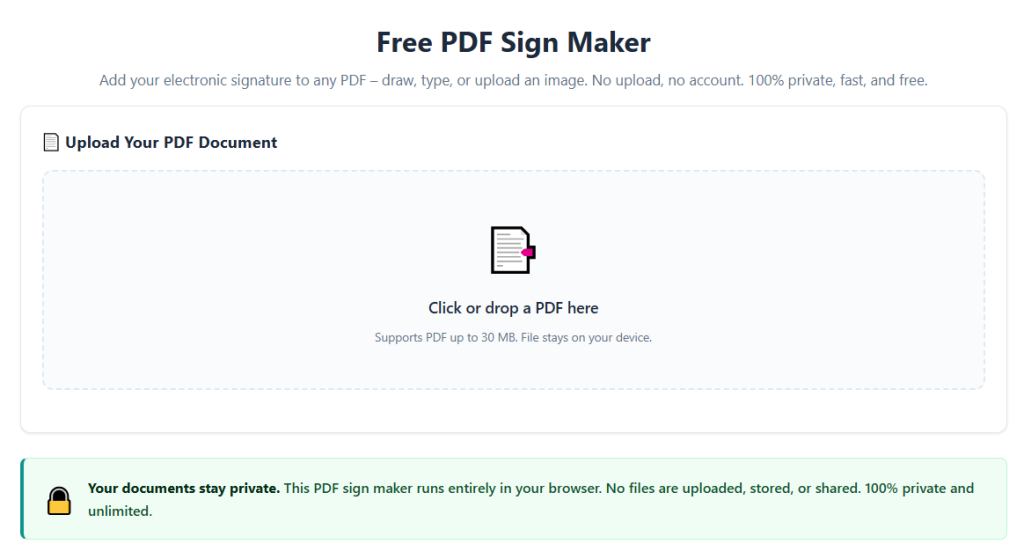
After learning the operation method, click the link below to enter the tool page for immediate use.